CSV imports for messy customer data
Embed our widget in your app and ensure you get data you can process from messy client CSV files.
fewer customer support requests related to data imports
more customers onboarded by connecting to valuable data and delivering value to users faster
How Loki works
Four simple steps to let your users import CSVs without mapping or manual fixes.
Configure your data model
Define the schema your system expects once. Specify fields, types, examples, and constraints. Or upload a file and we'll automatically create a model for you.
Embed the widget
Integrate the widget into your product with a short code snippet. It lives inside your app, so customers never leave your product.
Users upload their CSVs
Your customers upload any CSV or Excel file. The widget automatically understands and maps the data to your model. If needed, it will ask clarifying questions to the user.
Receive clean data via webhook
Get normalized, validated data delivered to your backend via webhook. Save it to your database or trigger downstream workflows.
Why Teams Choose Loki
Built for product and engineering teams who want fast, reliable CSV imports without building mapping flows.
Zero setup for your users
Your customers don’t need to map columns or follow instructions. They just upload a file and the widget handles the rest.
AI-Powered
Loki uses AI to deeply understand your data and perform even the most complex transformations.
Fully Auditable
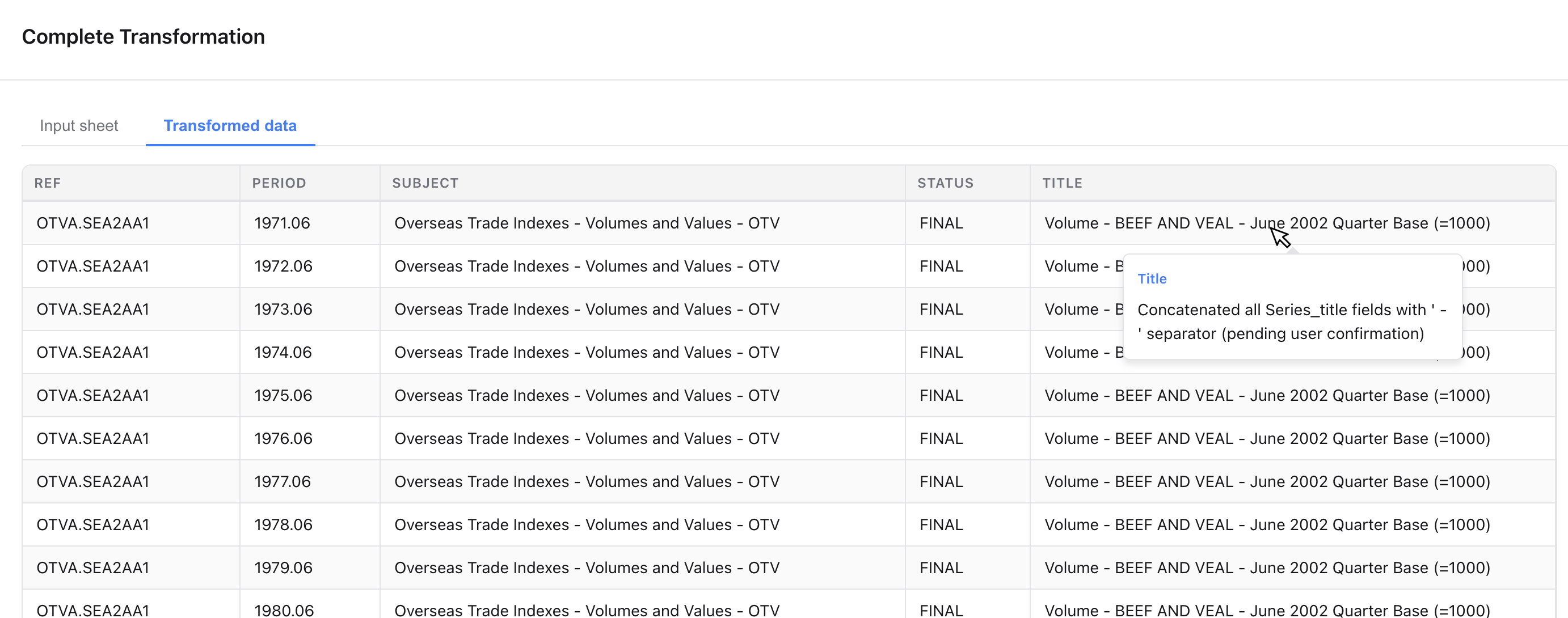
Our transformation visualizer let's your clients verify the results by clicking on any cell in the transformed sheet to see exactly how its value was determined.
Lightning Fast
Loki can process CSVs with millions of rows in the same time it would take Excel to just open the file.
Proactive AI
Loki will scan the imported file and ask your clients clarifying questions to cover transformation scenarios they might not have thought of.
See for Yourself
Watch our 3 minute demo to see Loki transform a real-world CSV with half a million rows.
See Loki in action
Everything your users need to import CSVs. Embedded directly in your product.
Users just upload files
Your customers upload any CSV or spreadsheet. The widget automatically understands and maps the data to your data model, performing transformations as needed. If needed, it will ask clarifying questions to the user.

Every cell change explained
Your clients can click any value to see exactly how it was transformed.
Backend-ready data via webhook
Once processing is complete, you receive clean, structured data via webhook. Save it directly to your database or trigger downstream workflows.

Frequently Asked Questions
Everything you need to know about Loki. Can't find the answer you're looking for? Reach out to our team.
The widget supports CSV files only. If you need other file formats, please contact us.
No. Users don't need to map columns, follow templates, or configure fields. The widget automatically understands each CSV and maps it to the data model you defined.
Once the file is processed, you receive clean, normalized, and validated data via webhook. You can store it directly in your database or continue processing it in your backend.
Yes. Files are processed in isolated environments and never exposed to other customers. For companies with stricter requirements, we offer Enterprise deployments running on your own infrastructure.
Yes. In addition to our hosted Cloud option, we offer a self-hosted Enterprise version that runs on your infrastructure and integrates with your preferred LLM or inference provider.
Absolutely. You define your schema once. Every uploaded CSV is automatically mapped to that model, ensuring consistent and predictable data across all customers.
The widget is optimized for speed and does not rely on LLMs to rewrite entire files. Most imports finish in seconds, and even very large files typically complete in under a minute.
No. The widget is designed for non-technical users. They simply upload a CSV file. There are no formulas, mapping screens, or configuration steps.
The widget intelligently handles variations in column names, ordering, and formats. If clarification is required, it automatically resolves it without exposing complexity to the user.
Still have questions?
Talk to UsShip data imports before the week is over
Embed a CSV importer that works without mapping or setup. Your users just upload files and you get clean data.